The 10 essential features of a project management tool
TL;DR
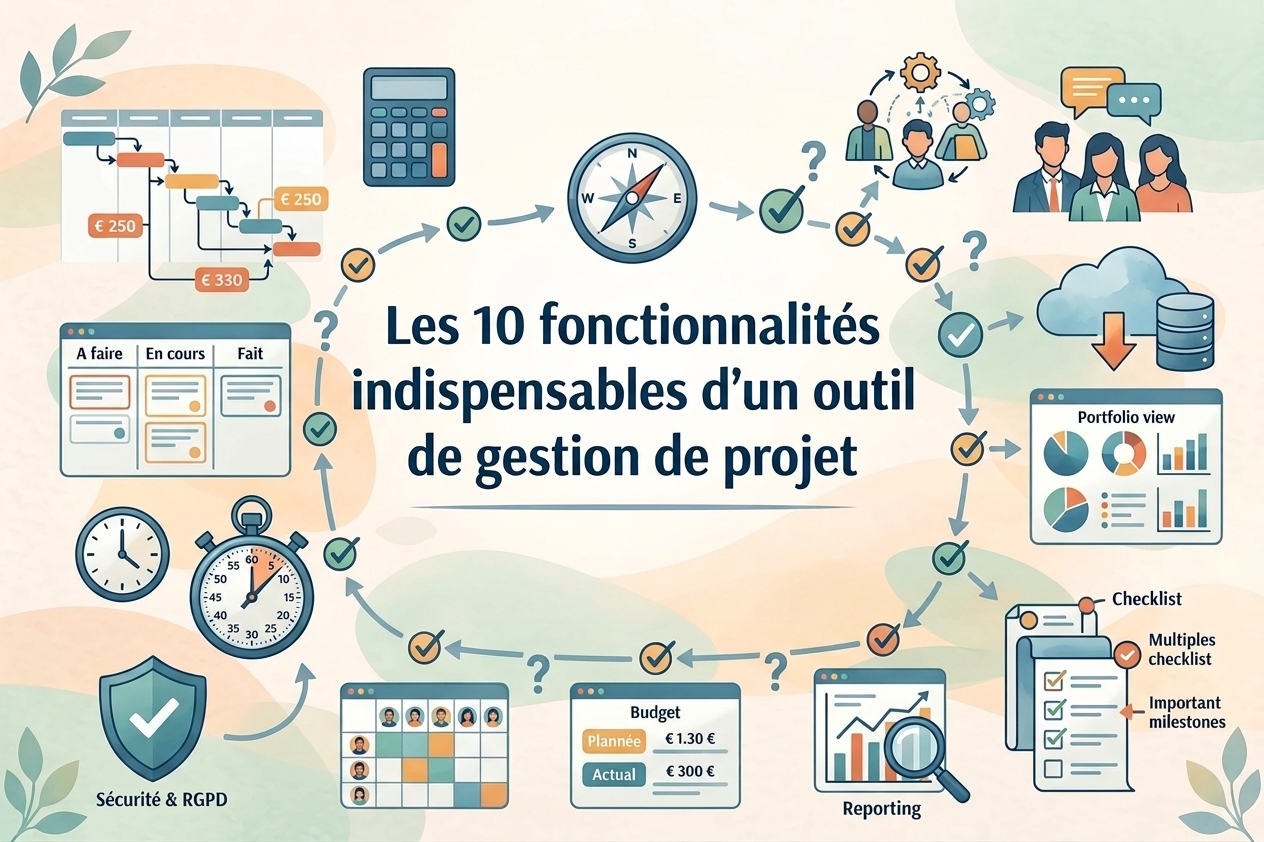
Not all solutions on the market are equal, even when their pricing pages look alike. This article breaks down the 10 project management tool features to check before signing a contract: task management, multiple views, customization, automations, dashboards, forms, real-time collaboration, resource management, security and integrations. For each point you’ll find the concrete questions to ask a vendor during a demo, plus how Kantree answers them.
Table of contents
- Why a feature list isn’t enough
- 1. Task management and planning
- 2. Multiple, flexible views
- 3. Customizable cards and fields
- 4. Workflow automations
- 5. Dashboards and reporting
- 6. Data collection forms
- 7. Real-time collaboration
- 8. Resource management and assignment
- 9. Security, compliance and hosting
- 10. Integrations with your other tools
- How to test these features before you buy
- FAQ: frequently asked questions
- Conclusion
Choosing a project management tool based on a simple feature list on a marketing page is a common mistake. Two tools can claim the same ten words (tasks, Kanban, automation, reporting) and behave completely differently once deployed on a real project with 30 people on it.
This article doesn’t rank tools against each other, it breaks down the project management tool features that actually make a difference in practice, with the questions to ask during a demo for each one. If you’re looking for a named comparison between vendors instead, our top 5 project management tools article answers that question.
Why a feature list isn’t enough
Most project management solutions today advertise very similar features on paper. The difference rarely comes down to whether a feature exists, but how deep it goes: one tool might limit automations to three triggers while another offers dozens that can be combined.
That’s why every point on this list comes with a precise question to ask the vendor, rather than a simple checkbox.
1. Task management and planning
The basic building block remains task management: creating tasks, prioritizing them, setting deadlines, and linking dependencies. It’s the foundation everything else sits on, but it’s also where tools diverge the most once projects get more complex.
Questions to ask during a demo:
- Can you create dependencies between tasks and see the cascading impact of a delay?
- Is there a centralized view of the work assigned to each person, across all projects?
In Kantree, the my work space aggregates a person’s assigned tasks, mentions and activity history across all their workspaces, so you don’t have to navigate project by project to see where a team stands.
2. Multiple, flexible views
A technical team often prefers a Kanban board, a project manager a Gantt chart, and a manager a simple filterable table. A good tool lets you represent the same data in several formats without duplicating the underlying information.
Questions to ask during a demo:
- Does switching views work on the same underlying data, or do you have to rebuild the structure every time?
- Are custom views available on the free plan, or reserved for higher tiers?
Kantree lets you switch between Kanban, table, calendar and timeline on the same cards, with customizable views available from the free trial. The ready-made Kanban board template lets you test this point in a few minutes.
3. Customizable cards and fields
A rigid tool forces its own vocabulary onto your processes. A flexible tool adapts to yours. The ability to customize fields and the structure of each card is what determines whether the tool can keep up with how your processes evolve over the next two years, without forcing you into a new tool.
Questions to ask during a demo:
- Can you create a custom card type and reuse it as a template?
- Is customization accessible to business users, or does it require an IT administrator?
Kantree’s cards are modular via drag and drop, field by field, with no technical skills required.
4. Workflow automations
Automations remove repetitive work: automatic status changes, notifications to a manager, creation of subtasks. The question isn’t just “does the tool have automations”, it’s “how many triggers and actions can you combine”.
Questions to ask during a demo:
- How many active automation rules are included in the standard plan?
- Can automations trigger actions toward external tools (webhook, API)?
Kantree lets you combine triggers and actions with no artificial limit on paid plans, including calls to third-party systems.
5. Dashboards and reporting
A useful dashboard isn’t a static chart provided by the vendor, it’s a view built from your own data and your own metrics.
Questions to ask during a demo:
- Can you build a dashboard that pulls data from several workspaces at once?
- What dashboard types are included natively in the tool?
6. Data collection forms
Forms let you capture requests (support, purchasing, time off) directly in the tool instead of going through email. It’s a feature that’s often underestimated at purchase time, even though it removes the need for a dedicated third-party tool.
Questions to ask during a demo:
- Can the form be embedded on an external website, or is it only accessible via a link?
- Do responses automatically create a structured card, or just a raw entry?
Kantree’s request management via form template shows this in practice, embedding on a website included.
7. Real-time collaboration
The activity feed centralizes comments, mentions and status changes, which mechanically cuts down on the number of status-update meetings you need.
Questions to ask during a demo:
- Do comments and mentions generate targeted notifications, or a single feed that’s hard to sort through?
- Can you see the change history of a card over time?
8. Resource management and assignment
Beyond simply assigning a task to a person, this is about being able to see a team’s overall workload to avoid overload or under-utilization of resources.
Questions to ask during a demo:
- Can you see a person’s combined workload across several projects at once?
- Does the tool support managing a portfolio of projects at company scale, or is it limited to one project at a time?
9. Security, compliance and hosting
This is the point non-technical teams most often overlook, and yet one of the most legally significant. Two separate questions to keep distinct: where is the data stored, and where are file attachments stored, since it isn’t always the same location with every vendor.
Questions to ask during a demo:
- Where is the application’s data hosted, and where are file attachments specifically hosted?
- Is the vendor ISO 27001 certified, and is the audit available for review?
Kantree hosts data in France and complies natively with GDPR, with ISO 27001 certification.
10. Integrations with your other tools
No project management tool lives in isolation. The ability to connect with Slack, Google Drive, GitHub, or to import data from a previous tool (Jira in particular) determines how easy migration is and how well teams actually adopt the new tool.
Questions to ask during a demo:
- Is the import from your current tool native, or does it require a third-party provider?
- Is an open API available to build your own connectors?
Try these 10 features for free
The simplest way to judge a feature is to test it on your own projects. Kantree's free trial gives you access to every feature described above, no credit card required.
Free trial • No credit card required
How to test these features before you buy
A feature checklist doesn’t replace a real test. Before signing, ask for full access (not a demo narrated by a salesperson) on a real, ongoing project, with two or three members of your team. It’s the only way to check whether automations hold up under your actual volumes and whether the experience works for non-technical users.
A pre-built Scrum or OKR template lets you start this test in a few minutes rather than from a blank page.
FAQ: frequently asked questions
Which features are truly essential for a small team? For a team of under 10 people, task management, multiple views and real-time collaboration cover the essentials. Advanced automations and cross-project reporting become necessary once you’re running around ten projects at once.
Is a tool with more features always the better choice? No. A tool that’s too rich for a simple need increases the learning curve and the drop-off rate. It’s better to choose a tool that covers all 10 points on this list with room to grow, rather than the most feature-packed option in absolute terms.
How do you actually verify where a tool’s data is hosted? Explicitly ask where application data is stored and where file attachments are stored, since these two can be hosted in different countries even with the same vendor. Also ask for security certifications (ISO 27001 in particular) and the date of the last audit.
How long does it take to properly test these 10 features? Plan for one to two weeks of real use with a pilot team, rather than a one-hour demo. That’s how long it takes for custom automations and workflows to reflect realistic usage.
Should you choose a general-purpose or a role-specific tool? This depends on how many teams need to be coordinated on the same project. A general-purpose, customizable tool like Kantree avoids multiplying subscriptions when several teams (technical, marketing, HR) need to collaborate on the same projects.
Conclusion
These 10 features aren’t a marketing checklist, they’re a framework for avoiding a bad choice that’s costly to fix later. Task management, flexible views, customization, automations, dashboards, forms, real-time collaboration, resource management, security and integrations form a foundation that needs to be tested on your own projects, not just read about on a product page.
If you’d rather compare named vendors instead of criteria, our top 5 project management tools comparison complements this article.
Check these 10 features for yourself
Create your free workspace and test each feature described in this article on your own data, in just a few minutes.
Free trial • No credit card required
To go further
3 possibilities are available to you if this topic interests you:
-
1
Try Kantree here, it is free and you don’t need any credit card
-
2
If you want to learn more about how Kantree can adapt to your challenges, make an appointment with an expert on your use case.
-
3
Are you willing to join +1500 professionals receiving our advices and news on digitalization, collaboration, productivity? Register to our newsletter here.
If this article has been useful to you, consider sharing it. You can do it easily below.