No-code tool vs collaborative spreadsheet: what's the difference for your business?
TL;DR
No-code tools and collaborative spreadsheets address different needs: the former allows you to create complex business applications without programming, while the latter excels at manipulating tabular data as a team. The choice depends on your objectives: automation and complex workflows (no-code) or simple data analysis (collaborative spreadsheet).
Table of Contents
- What exactly is a no-code tool?
- The collaborative spreadsheet: definition and usage
- Detailed comparison: features and capabilities
- Advantages and limitations of each solution
- Use cases: when to choose what?
- FAQ
- Conclusion
The digitalization of business processes is pushing companies to rethink their work tools. Between no-code tools that promise to democratize application creation and collaborative spreadsheets that are evolving toward more interactivity, the choice can seem complex.
This question becomes crucial when you know that 85% of companies still use spreadsheets for tasks that could be automated. Understanding the fundamental differences between these two approaches will help you optimize your processes and choose the solution best suited to your needs.
What exactly is a no-code tool?
A no-code tool allows you to create applications, workflows and business processes without writing a single line of code. This approach revolutionizes the way non-technical teams can develop customized solutions.
Main characteristics of no-code tools
No-code tools are distinguished by their intuitive visual interface. Rather than programming, you assemble pre-designed elements like building blocks. This method allows you to quickly create functional applications.
Automation is at the heart of these platforms. You can define rules, triggers and actions that execute automatically according to your criteria. For example, sending a notification when a task changes status or automatically creating a weekly report.
Advanced features
Modern no-code tools integrate sophisticated data management capabilities. They allow you to create relational databases, define custom fields and establish links between different types of information.
Data visualization represents another major asset. Interactive dashboards, real-time charts and customized reports become accessible without particular technical skills.
The collaborative spreadsheet: definition and usage
The collaborative spreadsheet evolves beyond the simple shared Excel file. These tools allow multiple users to work simultaneously on the same data, with real-time synchronization features.
Evolution of collaborative spreadsheets
Modern collaborative spreadsheets integrate features that sometimes bring them closer to no-code tools. Data entry forms, simple automations via scripts and integrations with other services enrich the user experience.
However, their structure remains fundamentally tabular. Each piece of information is organized in rows and columns, which is perfectly suited for data analysis but limits the possibilities for complex organization.
The no-code spreadsheet: a hybrid approach
Some spreadsheets are evolving toward the no-code spreadsheet, combining the ease of use of the spreadsheet with some automation capabilities. This approach nevertheless remains limited compared to true no-code platforms.
Detailed comparison: features and capabilities
Data structure and organization
No-code tool: Offers maximum flexibility in information organization. You can create complex data structures with relationships between different elements. For example, linking projects to clients, tasks to teams, and budgets to departments.
Collaborative spreadsheet: Excels at simple tabular organization. Perfect for lists, calculations and analyses where each row represents a distinct element. The structure remains rigid but predictable.
Automation capabilities
No-code tools shine through their advanced automation capabilities. Complex workflows, multiple triggers and conditional actions allow you to automate complete business processes.
Collaborative spreadsheets offer basic automations: formulas, simple macros and a few integrations. Sufficient for simple repetitive tasks but limited for complex processes.
Visualization and user interfaces
A no-code tool like Kantree offers multiple views of the same dataset: Kanban view for project tracking, timeline for planning, calendar for deadlines, and customized filtered views according to each user’s needs.
Spreadsheets remain primarily in their grid format, with a few chart and pivot table options.
Collaboration and permissions
Advantages of no-code tools for businesses: granular permission management during sharing, dedicated workspaces by team, detailed modification history and integrated communication tools.
Collaborative spreadsheets offer efficient real-time collaboration but with more limited permission options.
Advantages and limitations of each solution
Advantages of no-code tools
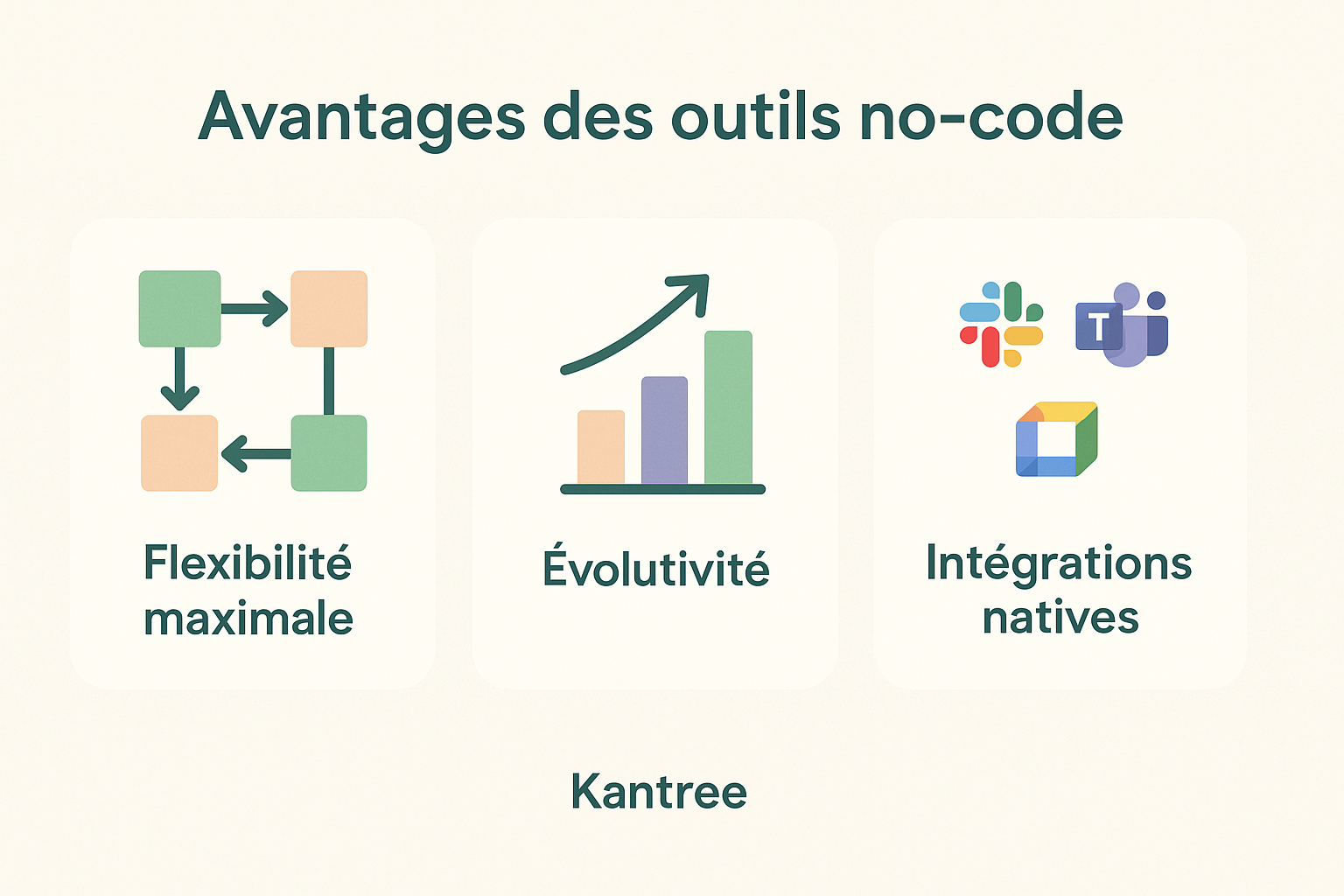
Maximum flexibility: Adaptation to all types of business processes, from project management to CRM to human resources management.
Scalability: Ability to evolve the business application as needs arise without starting from scratch.
Native integrations: Easy connection with existing tools (Slack, Microsoft Teams, Google Workspace).
Limitations of no-code tools
Learning curve: Requires adaptation time to master all features.
Cost: Generally more expensive than a simple collaborative spreadsheet.
Potential complexity: Can become complex if poorly configured initially.
Advantages of collaborative spreadsheets

Ease of use: Familiar interface for most users.
Speed of implementation: Immediate start without particular configuration.
Reduced cost: Often cheaper solutions, even free.
Limitations of collaborative spreadsheets
Structural rigidity: Difficult to adapt to complex processes.
Limited automation: Basic automation capabilities.
Restricted scalability: Difficult to evolve toward more complex needs.
Use cases: when to choose what?
Opt for a no-code tool if:
- You manage complex business processes with multiple steps
- You need to automate recurring workflows
- Your team collaborates on projects with different roles and permissions
- You want to centralize multiple types of information in the same tool
Concrete example: An engineering company uses Kantree to manage its projects and distribute the workload among its engineers. Each client project has its Kanban view for task tracking, a timeline to meet deadlines and customized forms to collect client briefs. Automation sends notifications to teams when a brief is validated.
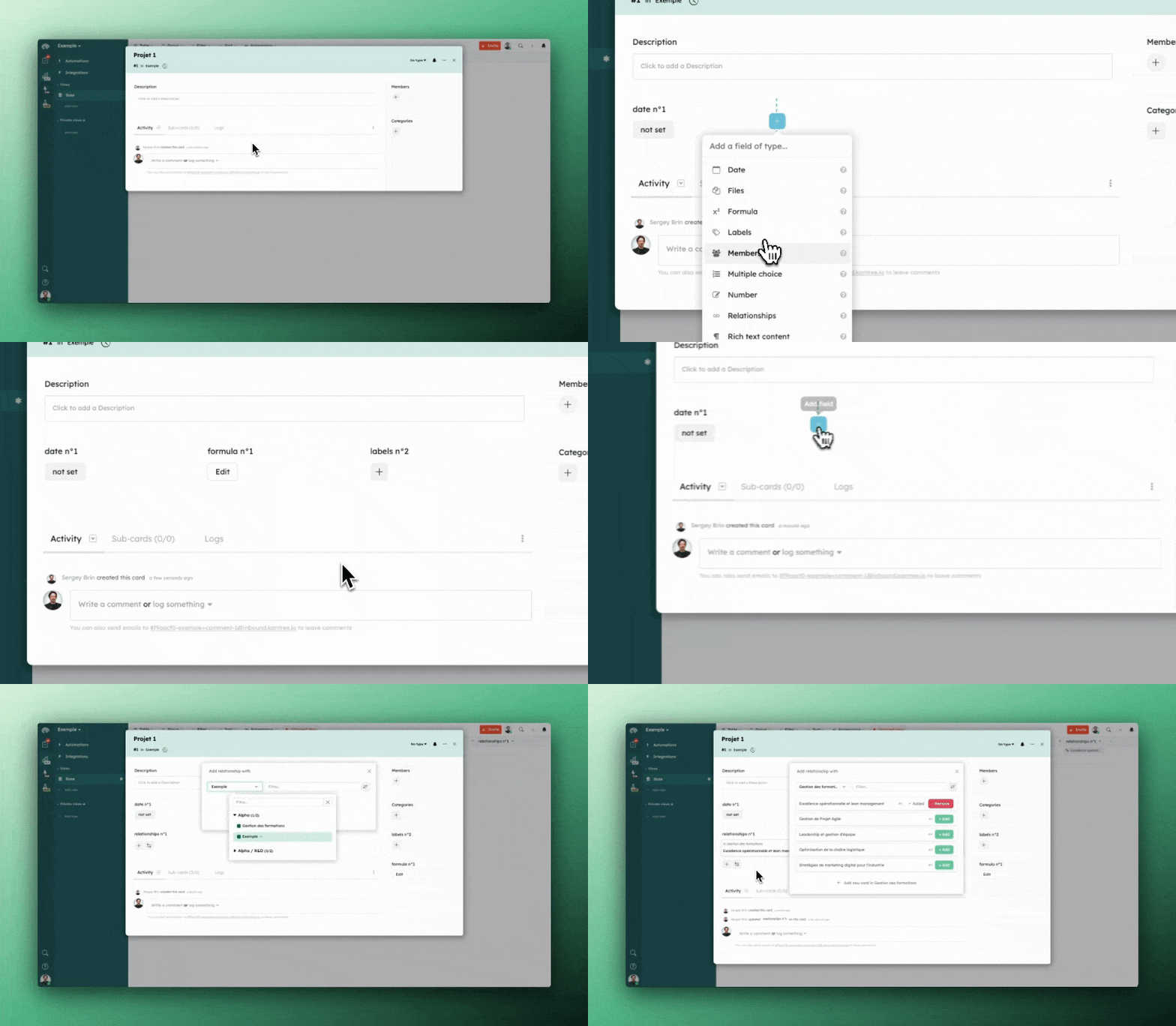
A simple drag-and-drop is the real strength of no-code tools like Kantree
Choose a collaborative spreadsheet if:
- You mainly manipulate numerical data
- Your needs are limited to simple calculations and analyses
- Your team already masters spreadsheets perfectly
- Your budget is constrained
Concrete example: A finance team uses a collaborative spreadsheet to track monthly budgets, calculate variances and produce standardized reports.
FAQ
What is the main difference between a no-code tool and a collaborative spreadsheet?
The main difference lies in flexibility and automation capabilities. A no-code tool allows you to create complex business applications with automated workflows, while a collaborative spreadsheet excels at manipulating simple tabular data.
Are no-code tools more difficult to use?
They require initial learning time but remain accessible to non-technical users. The learning curve is offset by long-term productivity gains.
Can you migrate from a spreadsheet to a no-code tool?
Yes, most no-code tools allow you to import data from spreadsheets. Migration requires thinking about data organization and processes to automate.
What is the cost of a no-code tool compared to a spreadsheet?
No-code tools are generally more expensive to purchase but can generate significant savings through automation and improved productivity.
Conclusion
The choice between a no-code tool and a collaborative spreadsheet depends on your objectives and the complexity of your processes. If you’re looking to automate workflows, manage complex projects or centralize different types of information, no-code tools like Kantree offer unmatched flexibility.
For simple data analysis or collaborative calculation needs, spreadsheets remain an efficient and economical solution. The important thing is to evaluate your current and future needs to make the choice best suited to your organization.
The trend shows an evolution toward more flexible and automated solutions. Investing in a no-code tool today can save you valuable time tomorrow and significantly improve your teams’ productivity.
To go further
3 possibilities are available to you if this subject interests you:
If you found this article useful, consider sharing it. You can do so easily below.