TL;DR
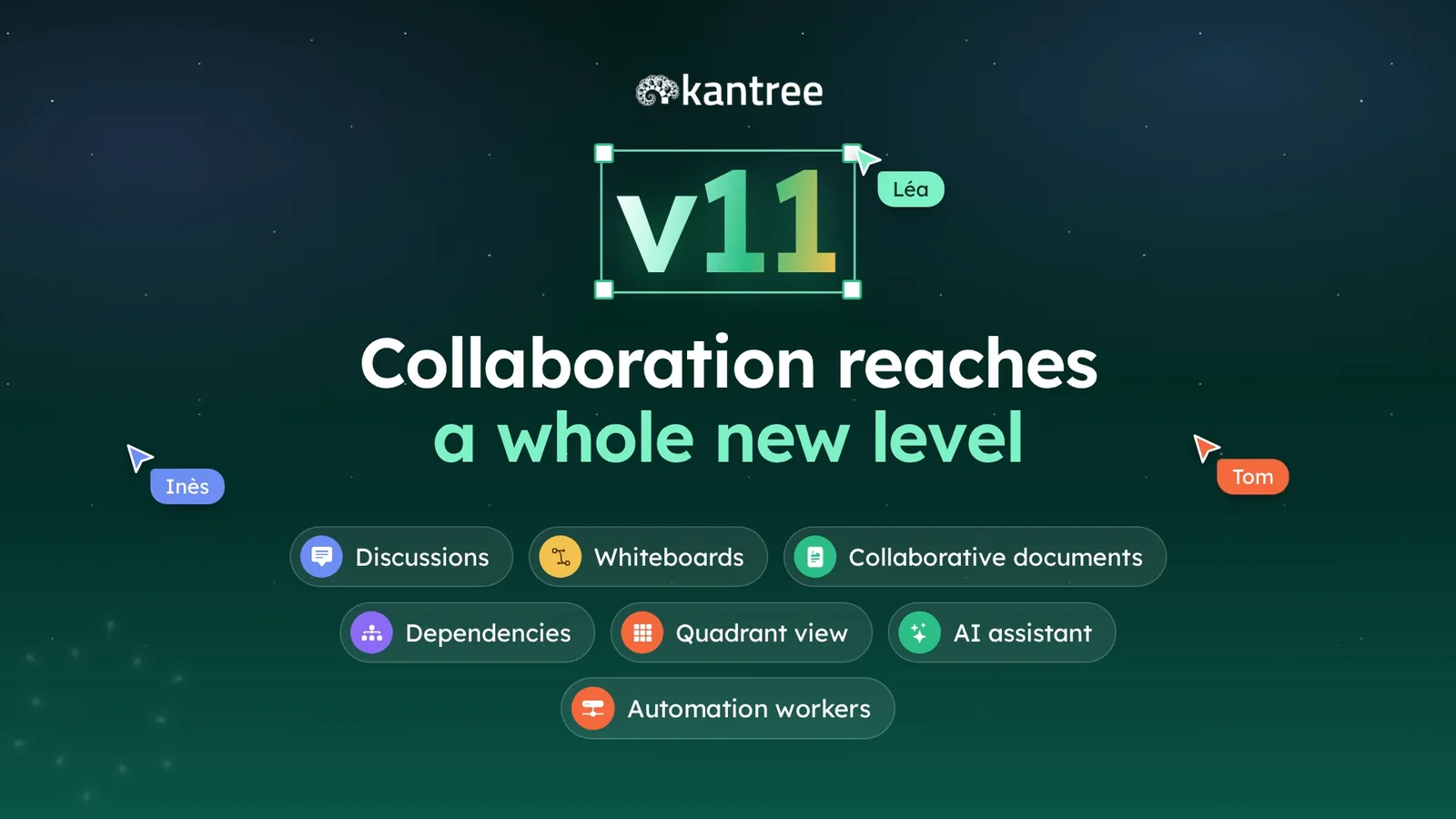
Kantree v11 is out. Until now, you planned work in Kantree and talked about it somewhere else. This release puts team chat, whiteboards and collaborative documents inside your workspaces, right next to the cards. You also get two new views (Dependencies and Quadrant), an AI assistant that writes your status reports, and automation workers that run on your own servers. We go through them one by one below.
Contents
- Why this release
- Chat next to the cards
- Whiteboards tied to the project
- Documents written together
- The Dependencies view
- The Quadrant view
- Reports written by the AI assistant
- Automation workers
- What else changes day to day
- What’s next
- FAQ
- Conclusion
Why this release
In many teams, a single project lives in four tools. Tasks sit in a project management app, conversations in a chat app, meeting notes in a word processor and workshops on an online whiteboard. When a decision is made in one of them, someone has to copy it into the others. Usually nobody does.
With v11, we didn’t try to connect these tools. We built them into Kantree. Messages, documents and diagrams now live in the same space as the cards they relate to. You can mention a card in a message, open it from a whiteboard or quote it in a document.
A year ago, in the post about Kantree’s 10 years, we announced chat and collaborative documents. They’re here now. Meetings were announced at the same time but aren’t part of this release. More on that at the end.
Chat next to the cards
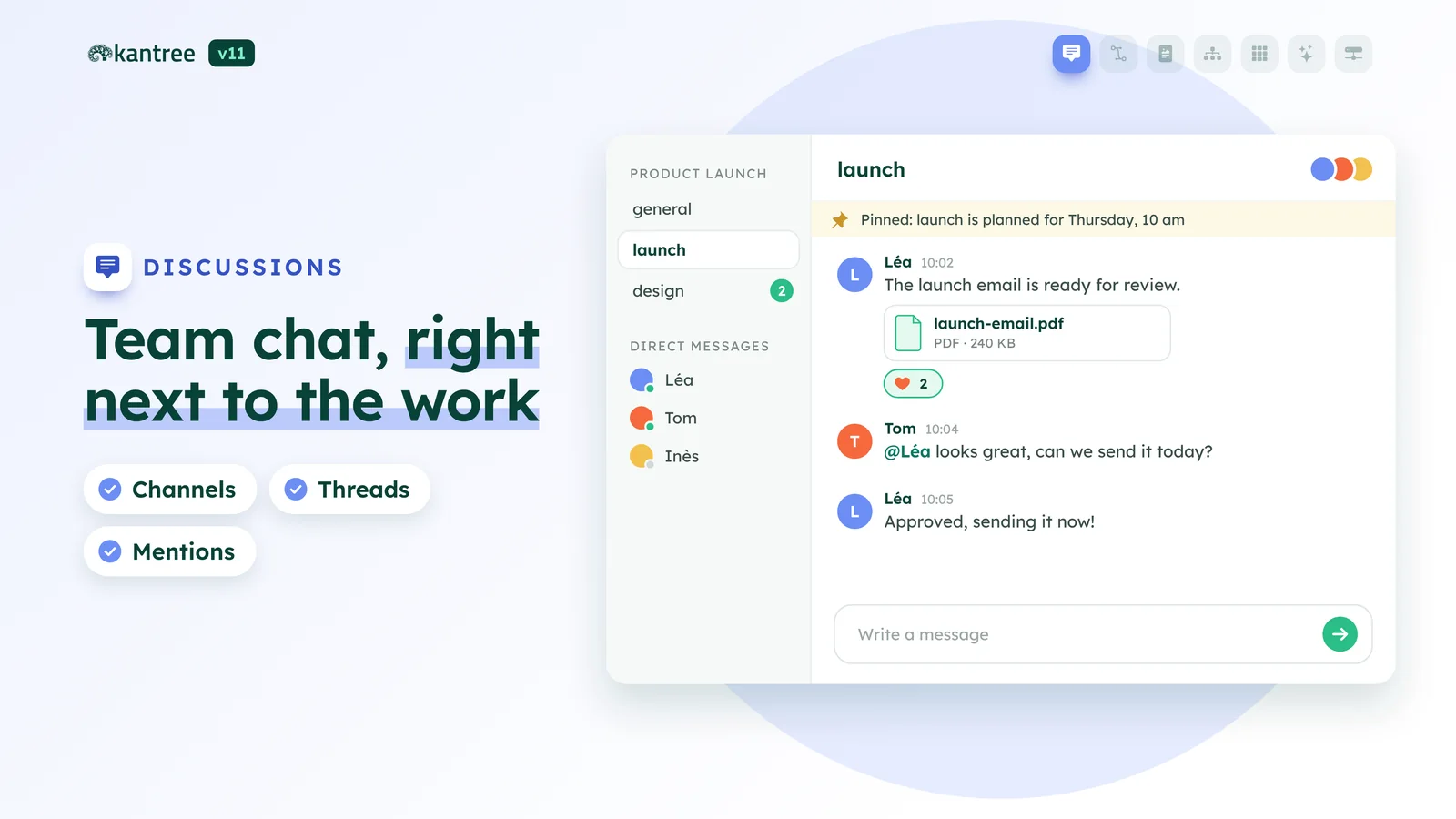
Kantree now has its own team chat. The basics are what you’d expect: channels, threads, mentions and reactions.
The difference is where the conversations live:
- channels for the organization, for each team and for each workspace;
- threads attached to cards, which stay docked on screen while you move around;
- a discussion hub where all your conversations come together.
A question asked on a task stays on that task. Six months later, whoever picks the topic up finds the answer right there, without opening another app.
Whiteboards tied to the project
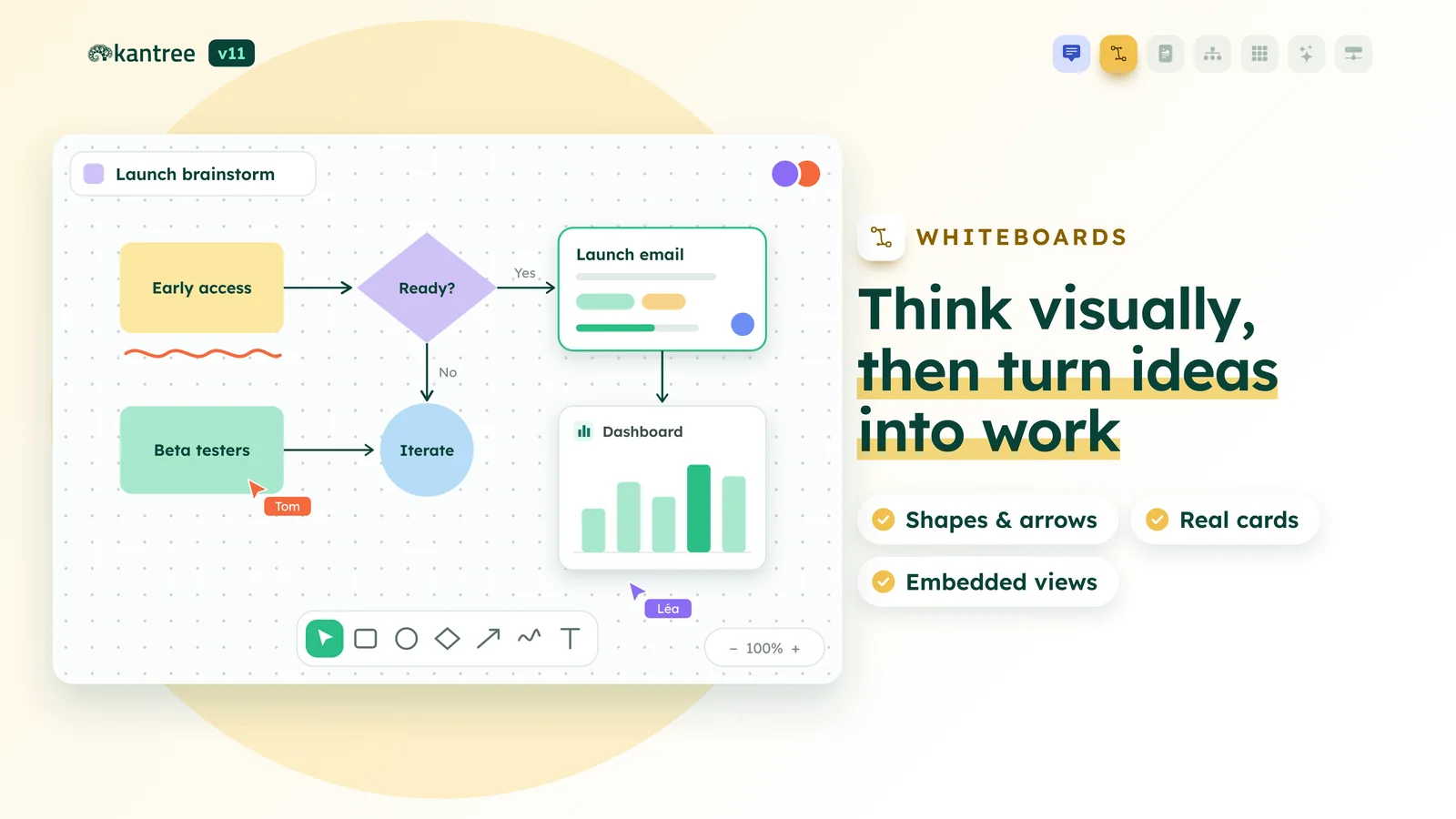
Brainstorms, process maps and architecture sketches now happen on a shared canvas that the whole team can edit at once.
The usual tools are there: shapes, arrows, freehand drawing, text and images. Two things are specific to Kantree:
- the project’s cards go on the canvas, and a double-click opens them;
- you can embed workspace views on the board, a kanban for example.
When the workshop is over, what came out of it is already in the project. Nobody has to turn sticky notes into tasks by hand.
Documents written together
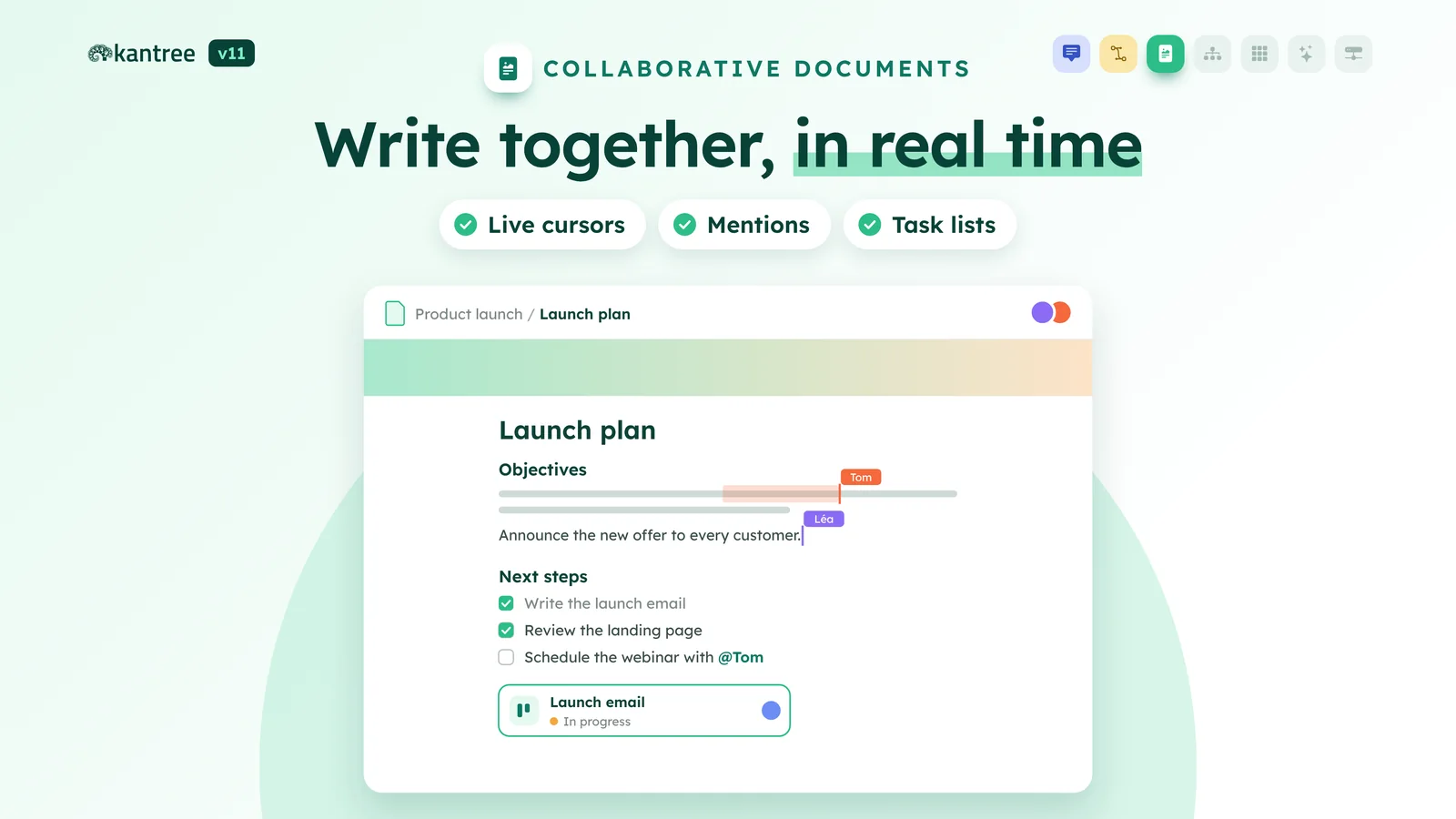
Meeting notes, specs, procedures, knowledge bases: you now write them in Kantree, with several people in the same document. You can see everyone’s cursor as they type.
In a document, you can:
- mention a card or a person;
- type “/” to insert an element;
- add task lists.
Once it’s ready, publish it to your organization hub or share it read-only.
The Dependencies view
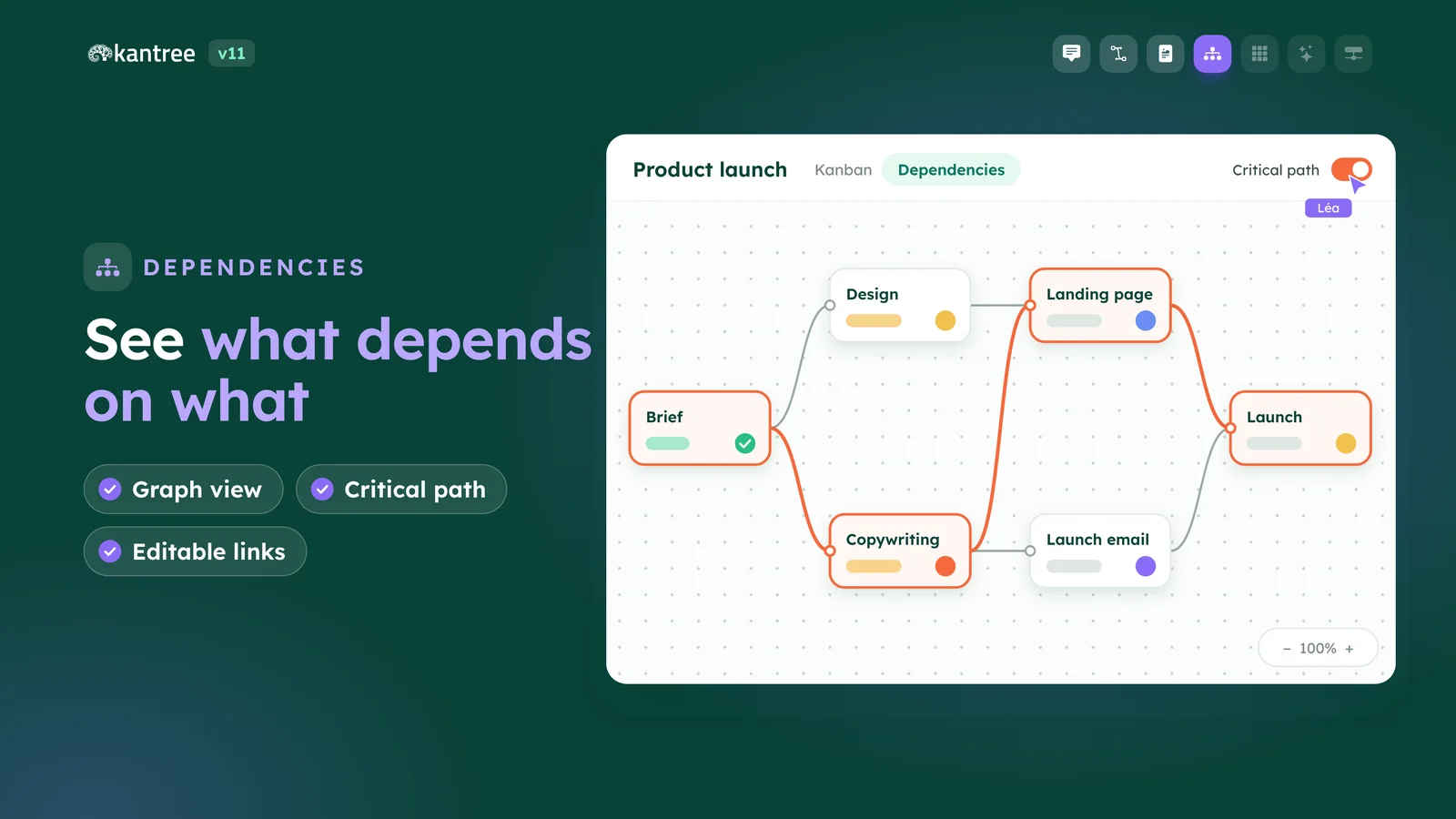
On a big project, someone always ends up asking what’s blocking what. The Dependencies view answers with a graph. Each card is a node and each link is an arrow.
- Focus the view on a card to follow its branches.
- The critical path is highlighted. It’s the chain of tasks that sets the end date.
- Create or edit links without leaving the view.
It works alongside the Gantt chart, which already handles the four dependency types (finish-to-start, start-to-start, finish-to-finish, start-to-finish) and lag.
The Quadrant view
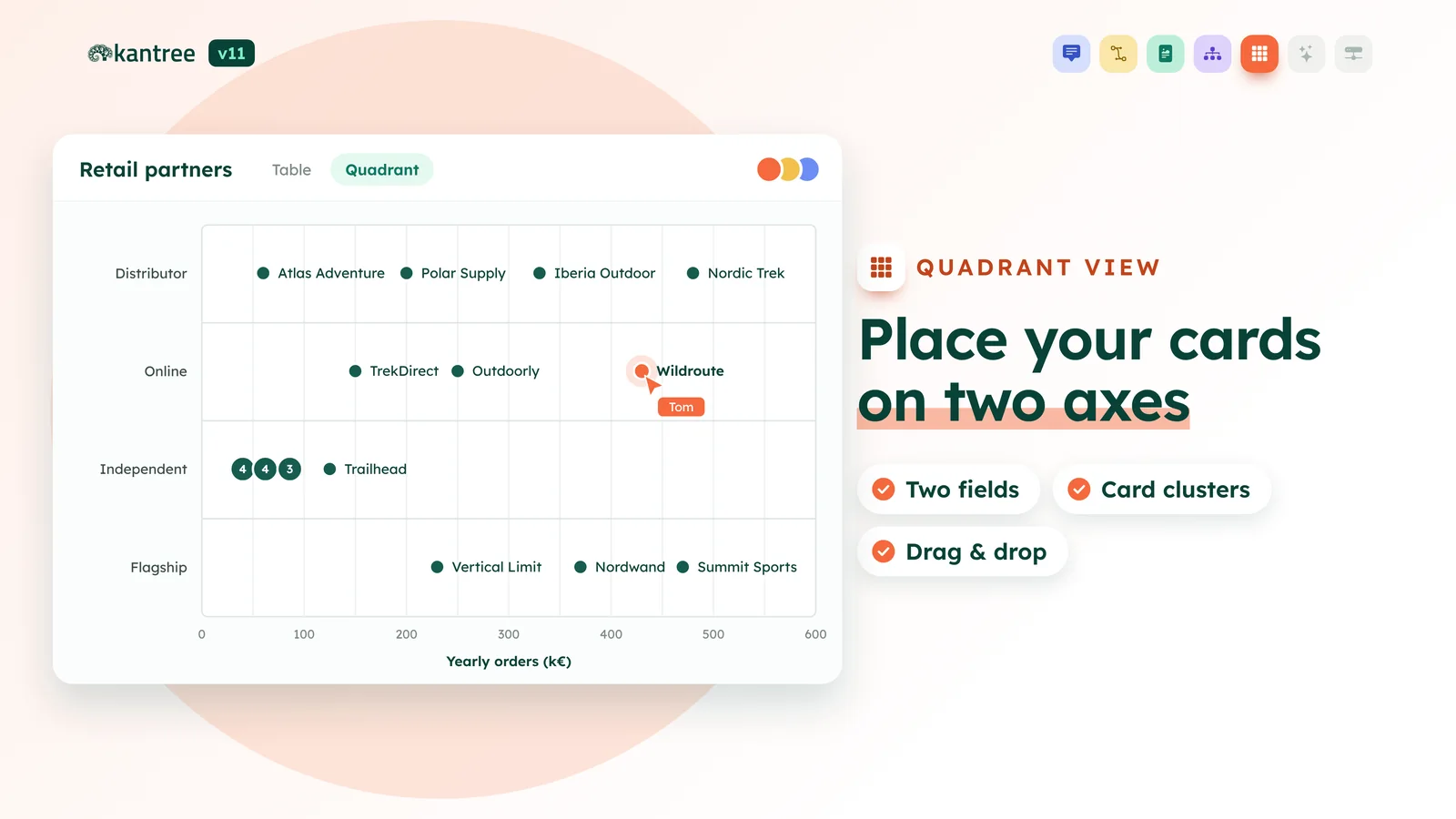
The Quadrant view places a workspace’s cards along two of their fields. Put effort on one axis and value on the other. Quick wins land in one corner, big bets in another.
Cards that sit close together are grouped, so the view stays readable even when there are lots of them. Drag a card to another spot and its fields update for the whole team. It’s a handy way to set priorities in a meeting without opening a spreadsheet.
Reports written by the AI assistant
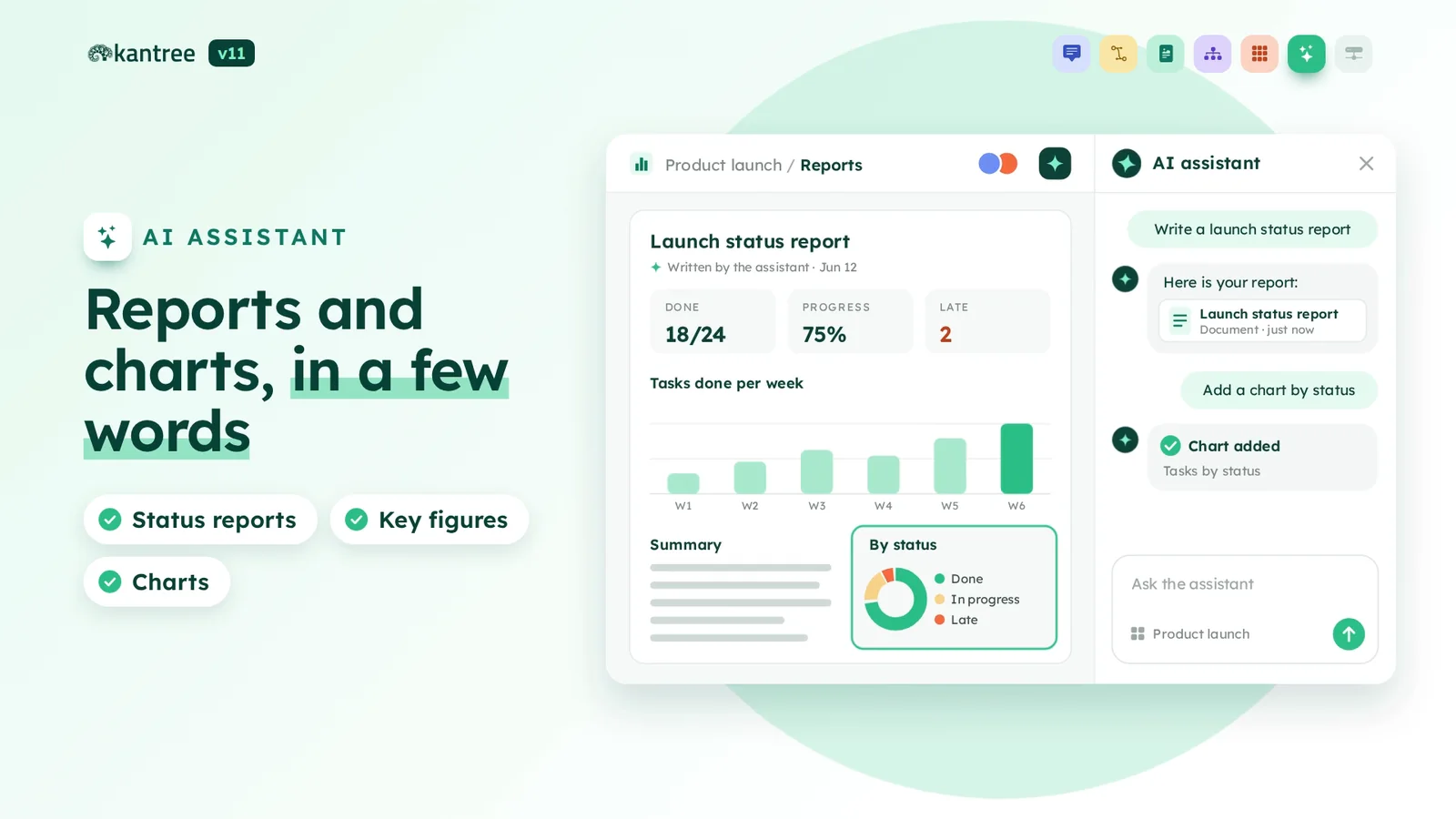
Ask the assistant for a status report the way you’d ask a colleague. “Write a launch status report”, for example. It reads the workspace, counts what’s done, in progress or late, and writes a document with:
- key figures taken from your cards;
- charts built from your fields;
- a written summary.
Want another chart? Just ask and the assistant adds it to the report. Then the document is ready to share with the team.
The assistant isn’t included in the plans. It comes with the AI add-on, which costs €3 per user per month on top of your plan.
Automation workers
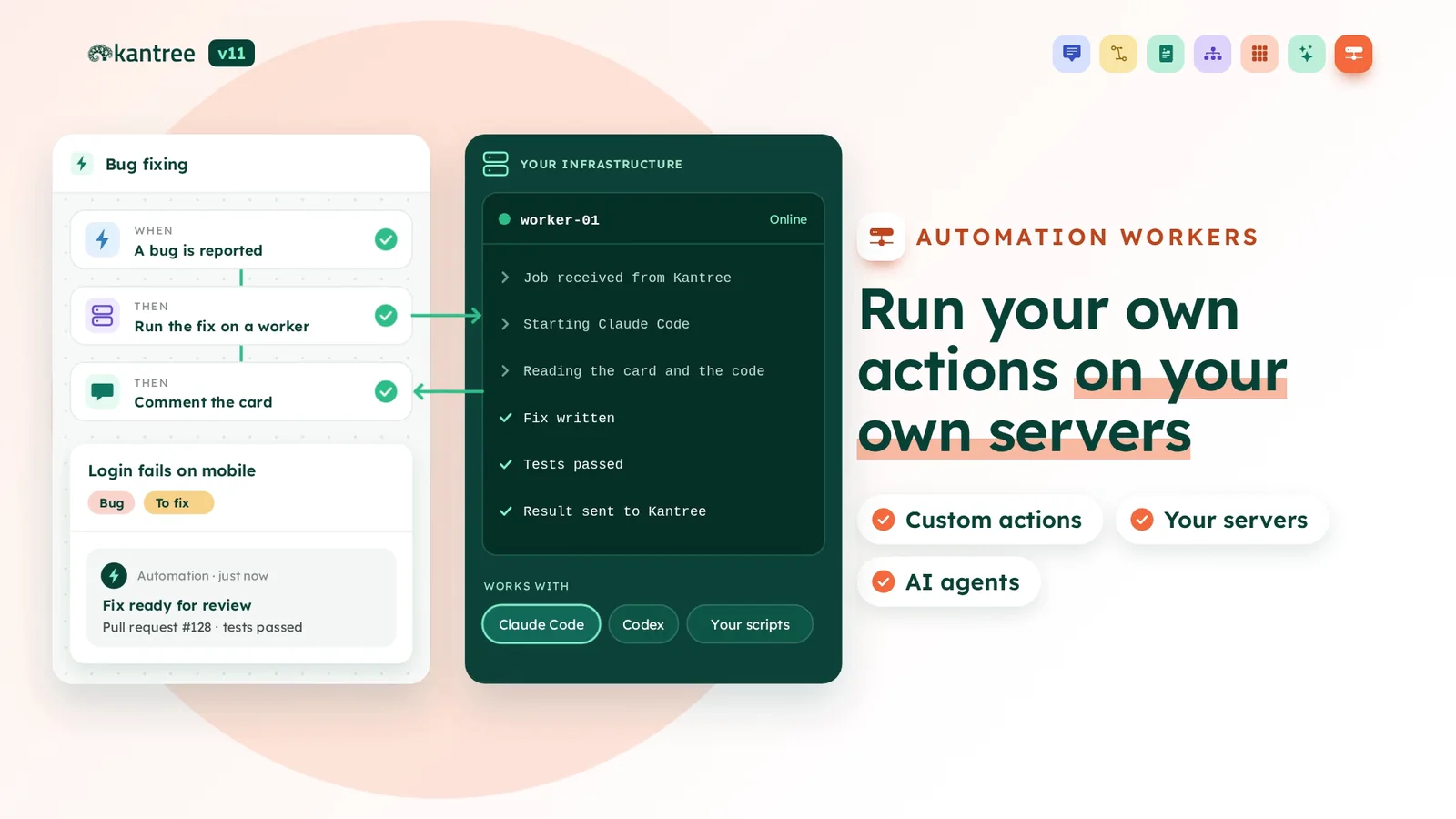
Kantree’s automations already cover a lot. But sometimes you need to run an in-house script or query an internal system. That’s what workers are for.
An automation rule hands an action off to a worker. The worker runs on your infrastructure, does the job and sends the result back to the rule. Then the workflow carries on.
Here’s an example. Someone reports a bug in Kantree. The rule sends the card to a worker, which starts a coding agent like Claude Code or Codex. The agent reads the card and the code, writes a fix and runs the tests. A comment then shows up on the card to say the fix is ready for review.
Your data and your code never leave your servers, and your scripts, internal tools or AI agents become part of how your teams work.
What else changes day to day
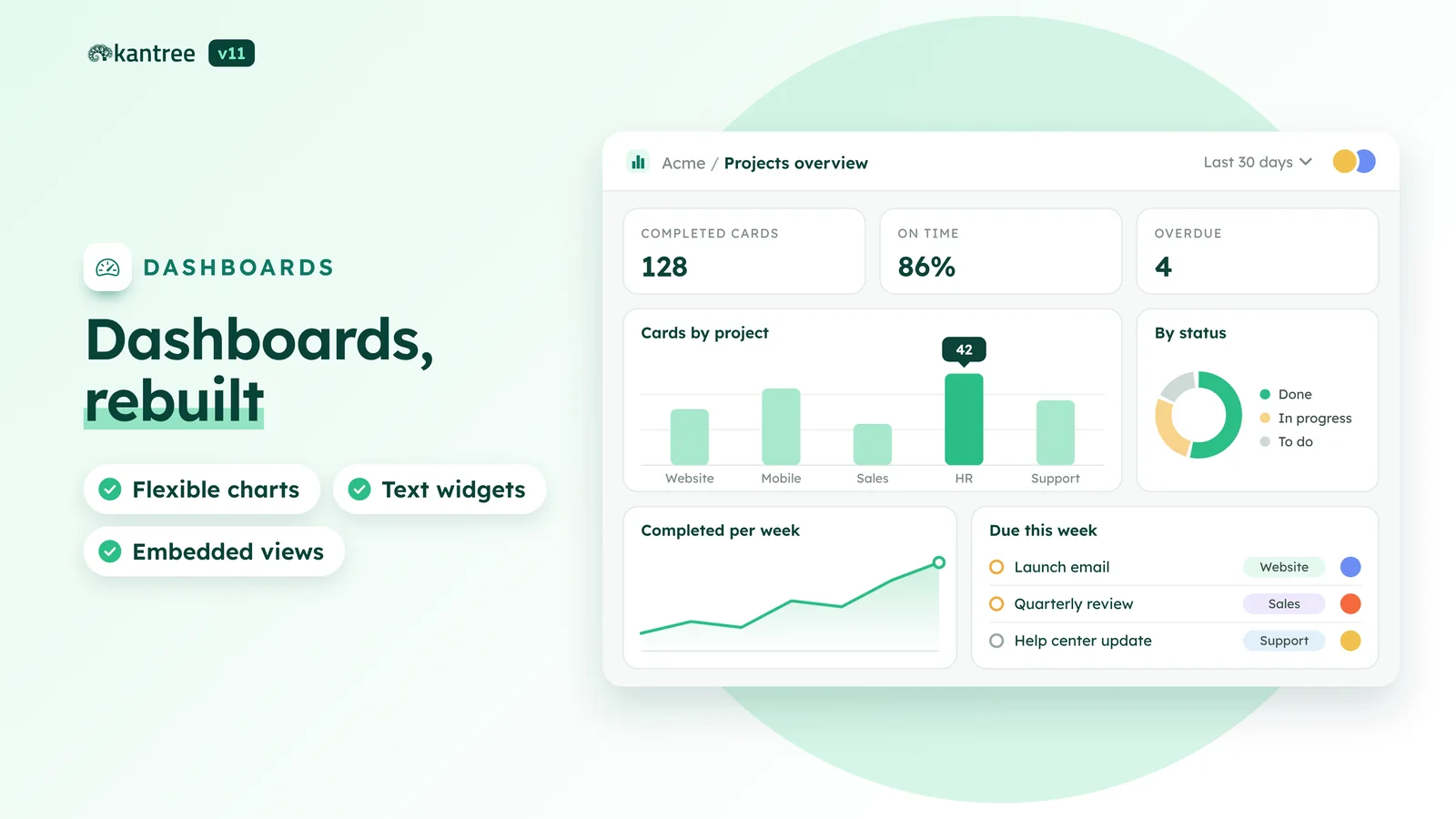
v11 also improves the tools you already use every day.
- Rebuilt dashboards: more flexible charts, text widgets, and full views next to your figures (kanban, table, document, whiteboard).
- Two-way relationships: when you link a card to another one, Kantree creates the link back and keeps both sides in sync.
- Field styles: set the color, border and label size right from the card.
- Notification settings: choose what reaches you by email, on desktop or on your phone, and when.
- Floating docks: your cards and conversations stay docked at the bottom of the screen while you move around.
- Web pages in your workspaces: a new view shows an external web page next to your boards and documents.
What’s next
Real-time collaboration lays the groundwork for three projects we’re already working on:
- Meetings: meetings held in Kantree, with the conversation and the actions that come out of it kept in sync.
- Workload and planning: see who’s free and who’s overloaded, and plan around the team’s actual capacity.
- Agents: AI colleagues working in the same workspaces as your team.
We’ll share more once they’re ready.
FAQ
What are the main new features in Kantree v11? There are seven: team chat, whiteboards, collaborative documents, the Dependencies view, the Quadrant view, reports written by the AI assistant and automation workers. We also improved dashboards, card relationships, fields and notifications.
Can Kantree v11 replace my team chat and my document tool? That’s the idea. Channels, threads, mentions, real-time documents and whiteboards are built into the workspaces. Conversations and documents stay linked to the cards they’re about.
Is the AI assistant included in every plan? No. The assistant is part of the AI add-on, which costs €3 per user per month on top of your plan.
What is an automation worker? It’s a program that runs on your servers and carries out custom actions when a Kantree automation rule asks for them. It can run your scripts, query your internal systems or start a coding agent like Claude Code or Codex. The result goes back to the rule, and the workflow carries on.
How can I try Kantree v11? Create a trial account. It’s free for 15 days and you don’t need a credit card. v11 is available as soon as you sign up.
Conclusion
With v11, Kantree isn’t only where work gets organized anymore. It’s also where people discuss it, write it down and sketch it out. You keep fewer tabs open and copy-paste less, and decisions stay attached to the work they’re about.
The best way to judge is to try it. Open a workspace, start a thread on a card and invite two colleagues to a whiteboard. The v11 page also goes through each feature in detail.
Try Kantree v11
Chat, whiteboards, documents and the new views: everything is there as soon as you sign up.
15-day free trial • No credit card required
To go further
3 possibilities are available to you if this topic interests you:
-
1
Try Kantree here, it is free and you don’t need any credit card
-
2
If you want to learn more about how Kantree can adapt to your challenges, make an appointment with an expert on your use case.
-
3
Are you willing to join +1500 professionals receiving our advices and news on digitalization, collaboration, productivity? Register to our newsletter here.
If this article has been useful to you, consider sharing it. You can do it easily below.